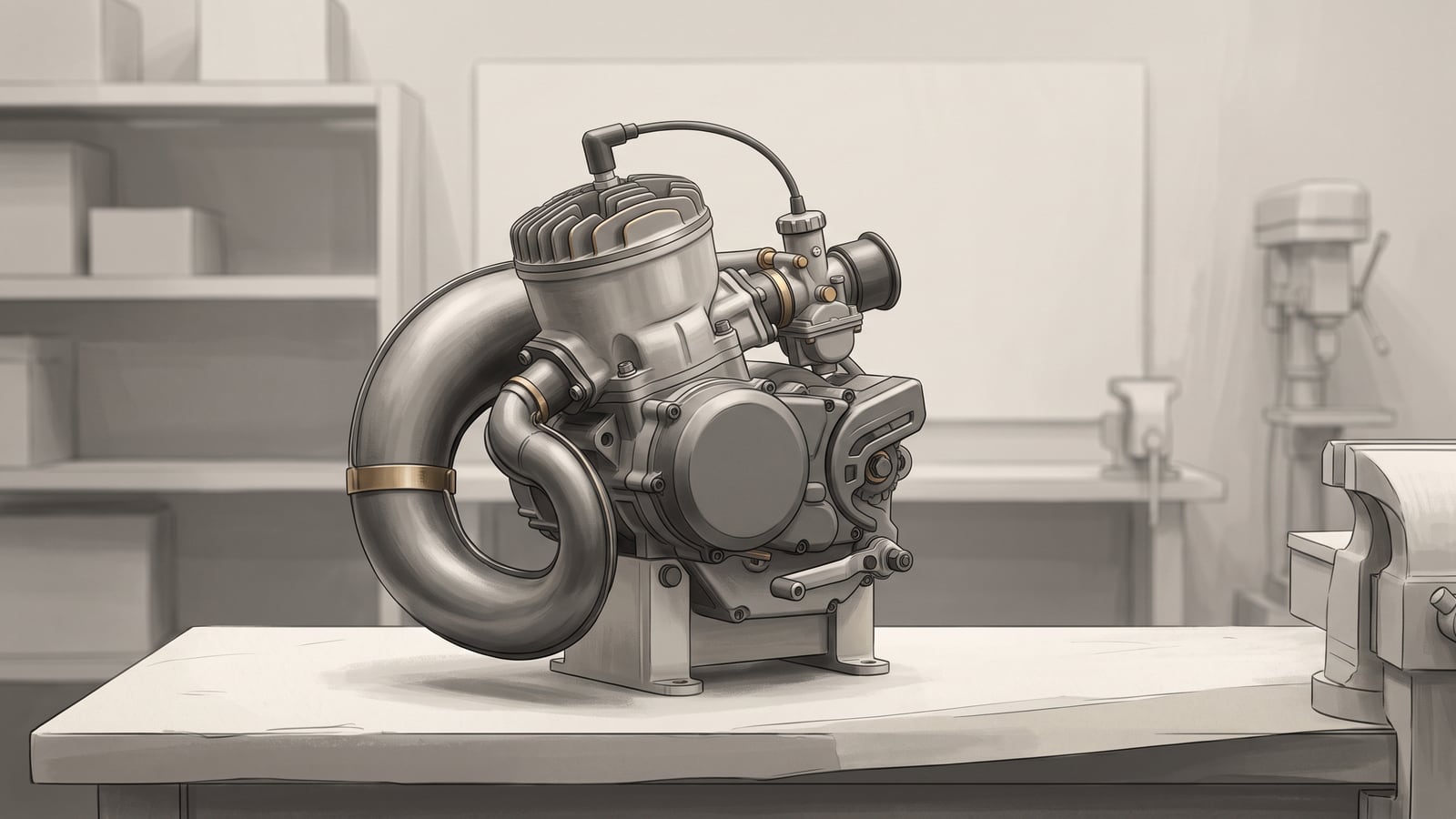
A two-stroke kart engine that looks familiar isn't the same thing as one you have documentation for. What decides the numbers — intervals, thresholds, permitted work — is the engine's exact model and version, not how much it resembles a friend's kart or last season's motor. Before you write down a single interval or a single fluid spec, you need to know which document governs this engine, and whether that document still applies to it.
That's the whole method here: identify the exact engine and version, find the current official documents for it, and turn only what those documents verify into a record. This is a global method for building external observations, a running-time record, and referrals to the right authority. It isn't a universal service schedule, a tuning guide, a repair procedure, or a diagnostic system. The values in it depend on your engine, your documents, and — if you race — your class and event. Where a document hasn't given you a value, the honest move is to leave the field blank rather than guess or borrow one.
Work through it and you get a record that an owner-driver, a parent, a hobbyist, a mechanic picking up someone else's kart, or a new team member can all read and continue without guesswork.
Start with the document
The common mistake isn't laziness — it's assuming "two-stroke" is specific enough. It isn't. Before any maintenance value goes into a record, capture four things about the engine in front of you: the exact model, the version or serial identifier if the manufacturer uses one, the title of the document you're about to read, and its revision or date. Then check one more thing: effectivity — which specific engines or versions that document covers. A manual that looks right can still be the wrong edition, or cover a sibling engine that shares a name but not a spec.
Write these four or five things down before you copy a single interval. They're what makes the rest of the record defensible later, to you, to a mechanic taking over the kart, or to a scrutineer asking where a number came from.
A bounded Rotax example
Here's one real document set, offered only to show what document identity looks like. The values inside it apply only within its stated effectivity — don't carry them over to an engine this document doesn't cover. The inspected Rotax operator manual covers the named 125 MAX evo engine families and identifies itself clearly: KART ED. 04/2024, part number 297732, edition dated 2024-04-01. That's document identity done right — a title, a revision, and a stated scope.
The official Rotax 125 Senior MAX Evo documentation page shows something worth noting too: one product can have several separate documents — an operating manual, an installation manual, a parts catalogue, a repair manual, and a quick-start guide — and each one's edition and effectivity still need checking once you open it. Having "the manual" for an engine doesn't mean you have every document that applies to it, or that the one you have is current. This is a Rotax example tied to named engine families and a stated RMC scope; it isn't a karting-wide requirement.
Turn requirements into records
Once you've confirmed you're holding the right document for the right engine, the extraction method is the same regardless of manufacturer:
- Find the schedule or instruction in the exact official document — not a summary, not a forum thread, not another engine's manual.
- Copy the task, unit, threshold, consumable, and any restriction exactly as written — don't convert or round anything.
- Record the page, section, or table reference next to the entry, so anyone can check it later.
- Note who the document allocates the work to — you, a builder, or an authorized service provider.
- If a field is unclear or unsupported by the document, leave it blank and record who you'd need to ask.
The Rotax manual illustrates one way a schedule can be structured: it groups checks into before-operation and after-operation checks, plus four operating-hour columns — 2, 5, 10, and 50 hours. Those are Rotax's own operating-time categories. They're specific to this schedule — don't turn them into session counts, lap counts, minutes, or calendar weeks for a different engine, and don't assume they carry over unchanged to a different Rotax model.
The same manual also lists observable checks — record what you see, not a diagnosis:
- chain-sprocket tooth condition
- visible air-filter damage
- fuel-filter dirt
- water-pump leakage-bore oil or water
- cooling-connection fit and leakage
- gear-compartment oil level Treat those only as examples of the kind of row a manufacturer's schedule might include — when you build your own record, copy the task and its frequency from the same row in your document's rendered schedule, rather than assigning an example task to a time column that happened to appear elsewhere in this article.
Your engine maintenance record
Here's where the method turns into something you use. Before the template: every field in it should come from your applicable current document, tied to your exact engine and version, and any specification, interval, consumable, or permitted-work value you haven't verified stays blank. A blank field isn't a gap in the article — it's the record telling you, and anyone reading it after you, exactly what still needs confirming.
Copyable blank template
Copy this structure and fill it in from your own documents.
Engine and document identity
- Engine model:
- Version / serial / identifier:
- Document title:
- Document revision or date:
- Effectivity (engines/versions this document covers):
- Source location (where you obtained it):
- Page/section/table reference for each requirement below:
Additional governing documents (competition, series, event, or any other document layered on top of the manufacturer manual — one row per document, as many as apply)
| Document title | Version | Date | Effectivity or event scope | Source location | Section(s) used |
|---|---|---|---|---|---|
Running time
- Session date:
- Session running time:
- Source/evidence for this duration (handwritten log / electronic timer / other):
- Verification status (verified / unverified / conflicting):
- Previous cumulative time:
- New cumulative time:
- Verified subtotal (the portion of the cumulative total you can actually stand behind):
- Unresolved or disputed intervals (note which sessions, and why):
- Reconciliation status (open / resolved — note how):
If two independently recorded durations for the same session disagree — a handwritten log against an electronic timer, say — don't treat either one as automatically correct. Record both durations and the discrepancy, set verification status to conflicting, and treat the cumulative total as unverified until it's resolved.
Fuel and oil (copy from your applicable document — do not fill in from another source)
- Fuel specification:
- Oil specification and mix ratio:
Between-session observable checks
Note where each row's item comes from in the document — its scheduled-check table, or a fault, warning, or stop-operation section — so an item from the fault or warning content isn't forced into the same shape as a routine scheduled check.
| Item (from document) | Source in document (schedule or fault/warning section) | Reference | Condition observed | Action recorded |
|---|---|---|---|---|
Document-derived service items
| Item | Threshold + unit (or blank) | Responsible party | Completion date | Completion record | Due status (not reached / reached / indeterminate pending time reconciliation / completed) | Basis (the cumulative time used for that judgment) |
|---|
Escalation
- Issue:
- Applicable manual/section:
- Contact (manufacturer/authorized service, builder, or governing body/class authority/organizer/event authority, as the issue requires):
- Status:
A fictional completed portion
None of the numbers below are real specifications or recommendations — they're here only to show how the record behaves.
Say the previous cumulative running time was 3 h 20 min, and today's session ran 35 minutes. The new cumulative total is 3 h 55 min. Now suppose you go back and check the timer log and find the session actually ran 30 minutes. The corrected cumulative total becomes 3 h 50 min. The record follows the corrected running time, but that correction on its own doesn't put any service due. Whether 3 h 50 min triggers anything depends entirely on what your exact document says — and if that hasn't been checked yet, no service item should be marked due.
Carry that same fictional record one session further, purely to show what a threshold crossing would look like on the record — none of the figures here are real specifications. Say the next session runs 20 minutes, and this time the timer log matches what you wrote down, so no correction is needed. The new cumulative total is 3 h 50 min plus 20 minutes, which is 4 h 10 min. Now suppose — again, entirely invented — your document's service-items table listed a service item due at 4 h 00 min cumulative. The corrected cumulative time has crossed that stated threshold, so that item's row in the "Document-derived service items" table would change from "not yet due" to "due." The item is now due per the (invented) schedule: don't run the engine again until it's been addressed per your manual and, where the document calls for it, a qualified person.
That example assumed the cumulative total itself was verifiable — a corrected log entry, but a countable one. Not every total is. If the cumulative time can't be certified — a missing session, a log that was never filled in, two records that disagree — and the plausible upper bound of that uncertain total could cross a documented threshold, treat the affected service item as due. Don't run the engine until either the time is verified below the threshold or the item has been addressed per your manual. An uncertain total that might be under the threshold is not the same as a verified one that is.
Carry the same fictional record one step further to see this in practice — again, every figure here is invented. Say a further session took place after the 4 h 10 min total above, but its log entry was never completed: no start or stop time was noted, only a note reading "ran most of the session." Between the driver's recollection and the timer's partial log, the plausible duration for that session is somewhere between 15 and 40 minutes — unverified either way. Added to the confirmed 4 h 10 min (250 minutes), the plausible cumulative range runs from 250 + 15 = 265 minutes (4 h 25 min) to 250 + 40 = 290 minutes (4 h 50 min). Now suppose — entirely invented, a second and separate threshold from the 4 h 00 min item above — your document's service-items table also listed an item due at 4 h 30 min cumulative (270 minutes). The lower bound of the plausible range, 265 minutes, falls short of 270. The upper bound, 290 minutes, is past it. Because the range straddles the threshold, the cumulative total can't tell you whether that item is due — so the conservative rule applies: its row in the "Document-derived service items" table gets due status "indeterminate pending time reconciliation," basis "unverified range, 4 h 25 min–4 h 50 min," and the engine doesn't run again on that item until the missing session's duration is verified (bringing the confirmed total below 4 h 30 min) or the item is addressed per the manual.
For the observable-check rows, record the observed condition and nothing more: do not diagnose from this template, and consult your exact documentation when a condition isn't one it covers. A fictional example row might read: "Air filter — source: scheduled-check table — reference: [page/section from your document] — condition observed: no visible damage noted — action recorded: [leave blank unless your document specifies one]." That's a recorded observation, not a diagnosis or a decision that nothing further is needed.
A fictional service row shows the honest blank in practice: "Gear-compartment oil level check — threshold: [not yet verified in current document] — responsible party: [not yet verified in current document] — completion: pending verification." Both blanks stay until the applicable manual has been checked and the allocation confirmed with the responsible authority.
A fictional escalation row shows the same honesty for something you can't resolve yourself: "Issue: unclear whether a listed inspection is owner-permitted or restricted — applicable manual: [document title/section] — contact: [authorized service provider, per manual] — status: clarification needed." Nothing gets invented to fill that row. It stays open until someone with the right authority answers it.
Draw the hand-off line
Not everything on a two-stroke engine belongs on your side of the record. The line between what you can observe and record, and what has to go to someone else, comes from the exact documentation for your engine. A general sense of what owners "usually" do won't tell you where that line falls.
You'll hit moments this record can't settle on its own: a material condition, an unclear instruction, sealed or restricted work, or a question about who's permitted to do something. Call a condition material when it isn't one of the between-session checklist's expected observations — particularly when the document raises it in a fault, warning, or stop-operation section rather than its scheduled-check table — or when it leaves you unsure whether the engine should keep running at all. Either one is a reason to stop, not a row to fill in and move past. When that happens, stop the general workflow and consult the authority responsible for that issue: the applicable manual, the manufacturer or its authorized service contact, the engine's builder where one is involved, or the relevant governing body, class authority, organizer, or event authority for a competition question. Which one applies depends on what the issue is.
The Rotax manual shows one version of this line, scoped to that product: it allocates specified teardown inspections to an authorized distributor or a Rotax Service Center, and it sends questions about unclear passages to the same network. That arrangement is Rotax's own. Other manufacturers and builders may draw the line differently, and your document is what tells you where yours falls.
Keep ownership manageable
A maintenance record only works if you can keep it. That's a question of budget, time, tools, weather exposure, the quality of your own notes, and whether you have someone to call when a question goes past what you can answer yourself.
Before you commit to the routine above, it's worth asking honestly whether you have a dry, organized place to keep the log current after a muddy session, whether you have the basic tools the document's observable checks call for, and whether you know who to contact when a field needs escalating rather than guessing. If the answer to any of those is no, that's useful information to have now, before the season gets busier.
Add competition checks when needed
If the engine only ever runs in practice, you likely don't need the checks in this section — but the exact current manufacturer documentation still controls the maintenance routine itself. Entering an event changes that. Competition can add its own requirements on top of the manufacturer's: fuel and oil specifications, sealing rules, engine identity-card requirements, eligibility conditions, and rules about who's permitted to do which work. Record each governing competition document in the template's additional-documents table, alongside the manufacturer manual in the main identity block — title, version, date, effectivity or event scope, source, and the sections you used for each one.
The 2026 Global RMC Technical Regulation is one scoped example of this layer: its sections 2.11 and 3 cover exactly this kind of requirement, within that regulation's stated scope. The official RMC index, checked alongside it, listed Bulletins 01–04 on the review date, and it explicitly warned that individual race regulations may differ from the base document, advising competitors to check with the organizer. That's a Rotax MAX Challenge example, tied to that series and its 2026 documents — it demonstrates the checking method; the scope itself stays specific to that series.
For any competitor, the documents that govern a competition record are the current base rules and bulletins, the class or event documents, and the organizer's own instructions — none of which replace the manufacturer's maintenance documentation; they sit on top of it.
Here's a wholly invented case to show why that layering has to be recorded field by field rather than merged: no real series content, every detail made up for illustration only. Suppose an event bulletin for a fictional meeting sets the fuel for that event, but says nothing about oil or mix ratio — so the manufacturer manual's oil-and-mix requirement stays in force unchanged, untouched by the bulletin. On the record, that's two separate entries, not one combined fuel-and-oil line: fuel from the bulletin, with the bulletin in the additional-governing-documents table as its source; oil and mix ratio from the manufacturer manual, with the manual as its source. If it's unclear from the documents themselves whether the bulletin's fuel change was meant to touch the mix ratio too, that ambiguity isn't yours to resolve by inference — it's a question for the organizer or class authority, recorded in the escalation block until they answer it.
Where to go next
This article covers the recordkeeping and document-identification method — it doesn't build the interval structure itself or walk through a specific inspection. For that, the maintenance hub is the place to start. Two articles there extend directly from this one: one shows how to build a maintenance schedule from the documents that apply to your kart, and another gives a six-stage look-only checklist for what to check right after a session. If your record keeps surfacing carburetor questions, there's a guide to finding a supported carburetor baseline without borrowing someone else's settings. All of this sits inside the wider karting section if you're building out routines beyond the engine.
Your next step: find the exact engine model and version on the kart in front of you, locate the current official document that covers it, and write down that document's title and revision. Do that before you fill in a single specification, interval, consumable, or permitted-work field — leave each one blank until you've verified it there.